
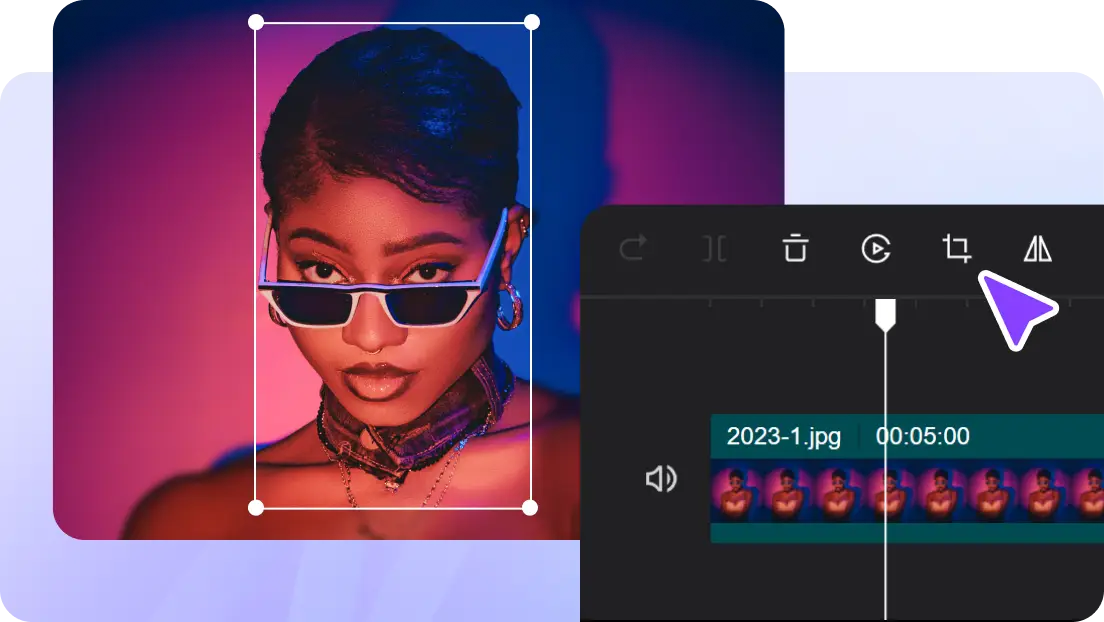
Understanding Smart Auto-Reframe Technology
Smart auto-reframe identifies important elements in each frame, which can include faces, bodies, and motion. The sophisticated AI algorithms do this by following these subjects throughout sequences, predicting motion to keep the focus. This dynamic movement is used to make sure that when the camera is panning, zooming, or shaking, the subject is the focal point. When the technology is resizing to fit other aspect ratios, it will also change the framing to avoid awkwardly cropping the edges or losing significant content. Every adjustment is calculated to have subject prominence and visual aesthetics, keeping to natural composition. The AI is trained to focus on main topics and ignore the backgrounds, so it yields professional outputs without human intervention.
When Auto-Reframe Is Essential in Modern Content Creation
Auto-reframe comes in handy, especially when recording a talking-head video, so the speaker will always be in the middle of the frame even when the camera moves. Tutorials and screen recordings are also advantageous because they maintain the aspects of instruction with full visibility and can be resized to fit social media. The handheld or fast-paced capture might be particularly difficult to frame manually, and AI-powered tracking will be priceless. In its absence, the subjects can easily be lost, making the picture less clear and less involving for the viewers. Auto-reframe simplifies this process and creates platform-ready content immediately. Automating repetitive adjustments, creators save time and also enhance quality, and smart auto-reframe becomes an essential part of contemporary video production.
Smart Auto-Reframe vs Manual Cropping
Manual cropping is also subject to errors, because human judgment may not be consistent between frames. Auto-reframe is more accurate and tracks the subjects consistently, even in complicated movements. Another significant benefit is time efficiency; manual changes on long videos can take hours, whereas AI does it in nearly a moment. Stability over longer footage is automatically ensured, and no longer is it necessary to re-verify every cut. Auto-reframe changes dynamically as opposed to the traditional cropping, which merely expands or contracts the frame. This is guaranteed by the incorporation of smart algorithms that keep every frame polished, and it is a reliable process in both short-form and long-form content. Additionally, this tool can complement a photo editor, allowing creators to maintain both video and image consistency.
Steps To Perfectly Frame Your Subject With AI Video Cropper Smart Auto-Reframe
Step 1: Launch a smart editing session
Go to CapCut’s homepage and click “Sign up for free. Log in using a preferred account. From the dashboard, open the “Video” tab and select “New video” to begin.
Step 2: Import video and define framing needs
Choose an aspect ratio such as 9:16, 16:9, or a custom size based on your target device. Upload footage from your computer, cloud storage, or drag it into the workspace. Stock footage remains available inside the “Elements” tab if required.
Step 3: Auto reframe and finalize composition
Click the video to activate editing controls and select “Crop. The pop-up window allows Manual crop or Auto reframe for smarter subject tracking. Custom ratios and rotation options are also available. Click “Apply” to confirm.
Use “Export” and “Download” to select output settings, then click “Export” again to complete the process or share directly.
Keeping the Subject in Focus Across Aspect Ratios
Various platforms use different aspect ratios, and the auto-reframe takes care of this. Vertical reframing is relevant to TikTok, Instagram Reels, or short-form content where you do not want to cut the significant information and keep your subject in the center. Horizontal reframing works best with YouTube presentations or widescreen, and it does not lose its proper composition when resized. AI guarantees that the edge cropping is kept to a minimum, and the subject is not cut off. This removes the trial and error that usually accompanies manual adjustments to give a consistent and professional appearance on all formats. The outcome is interesting, understandable, and aesthetically balanced videos.
Combining Auto-Reframe with Other CapCut Tools
Once these have been reframed, other CapCut enhancements are added to the output. It is possible to add text without covering the topic or make transitions between clips smoothly. The audio synchronization is not affected by the adjustment of the frames, which makes the play smooth. Adding numerous effects or filters does not disrupt the tracking of the AI, and therefore, creators can keep artistic freedom. Auto-reframe collaborates with high-quality effects such as motion and keyframes, as well as templates. The combination enables professional-quality video without many manual adjustments, simplifying the process for creators who have limited time.
Creative Control Within Automated Framing
The power of automation does not imply the inability to retain artistic control. AI fine-tuning allows creators to override the automatic decisions. The flexibility of complex scenes is offered by switching between manual and auto adjustments. It is not hard to retain the original purpose of a video because auto-reframe does not substitute creative choices, but adapts them. This makes sure that the subject is not taken out of focus, but the entire aesthetic vision and narrative are preserved. Smart auto-reframe is therefore the compromise between accuracy and innovation, enabling creators to be efficient and stylish in each project.
Conclusion
Auto reframe now needs to be smart to support multi-platform and aspect ratio content. CapCut online offers a smooth balance between automation and control by the user. Using AI tracking and smart adjustments, creators are able to create visually attractive videos easily. The method is time-saving, enhances uniformity, and the subject is the focus of the action in each frame. Tutorials, social media videos, and high-speed videos: AI video cropper software can enable creators to tell stories instead of spending hours on manual editing. The current video production has never been easier and more effective because it is possible to achieve professional-quality results without compromising speed and creative vision.
Check Back: Techsslash!
Leave a Reply