
Data loss can happen to you at any time. Whether your files were accidentally deleted, lost because of a corrupted drive, a formatted SSD, or another reason, losing important data can be incredibly stressful. Fortunately, there are several free Mac data recovery software tools you can try to recover your files without any additional cost. These applications use advanced scanning algorithms to detect lost files, rebuild partitions, and restore documents, photos, videos, and other important data.
In this article, we’ll explore the top 10 free Mac data recovery software tools of 2026 and compare their key features to help you choose the best option for your needs.
10 Free Mac Data Recovery Software for Mac
Here’s a checklist for your Mac data recovery software tools that can help you recover your deleted files at no cost:
- 1: Stellar Data Recovery Free for Mac
- 2: Disk Drill (Free Version)
- 3: EaseUS Data Recovery Wizard Free (Mac)
- 4: PhotoRec
- 5: 4DDiG Mac Data Recovery
- 6: TestDisk
- 7: Exif Untrasher
- 8: Ontrack EasyRecovery Free
- 9: Data Rescue for Mac
- 10: Wise Data Recovery
All these 10 data recovery programs are available for free. You can use any of these tools to restore your lost data from your Mac easily and effectively. Let’s explore each of these tools in detail:
01: Stellar Data Recovery Free for Mac
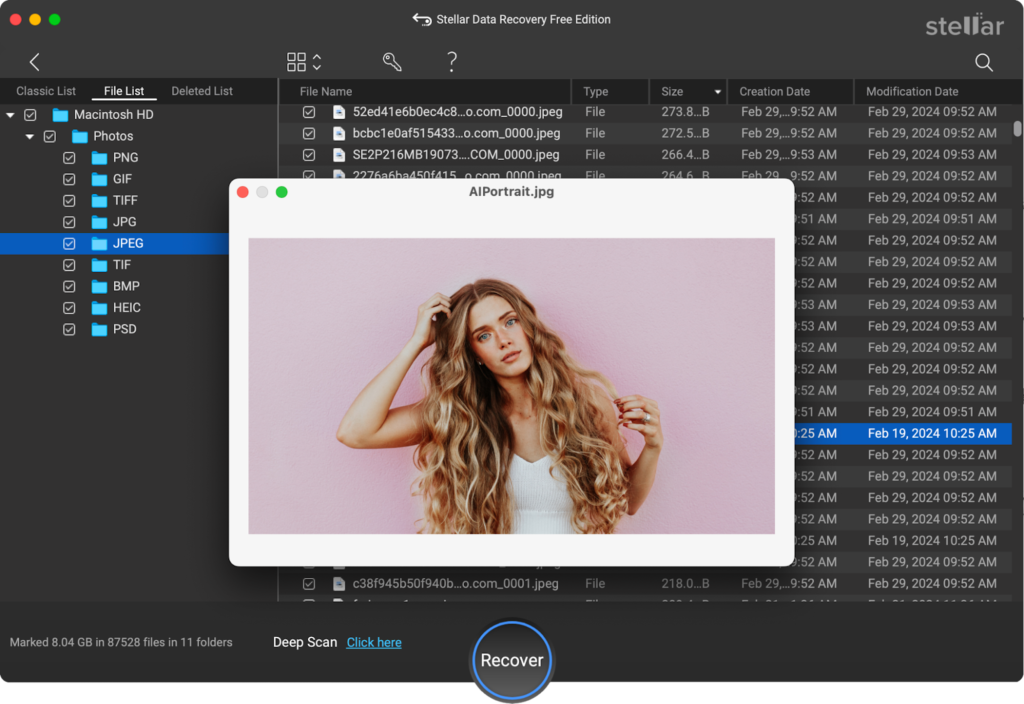
Stellar Data Recovery Free for Mac is a free Mac data recovery software that can help you recover files deleted due to several reasons, including accidental deletion, formatting, system failures, etc. The software is mainly known for its quick recovery process, user-friendly interface, and various amazing features. The Preview feature of this free Mac data recovery software lets you preview the recoverable files before saving them on your device.
The Stellar Data Recovery Free for Mac software can help you recover files deleted from SD cards, USB drives, hard drives, and other internal or external storage media. The free version supports recovery of up to 1 GB of files for free. To recover your deleted files using this free Mac data recovery software, you have to follow the below steps:
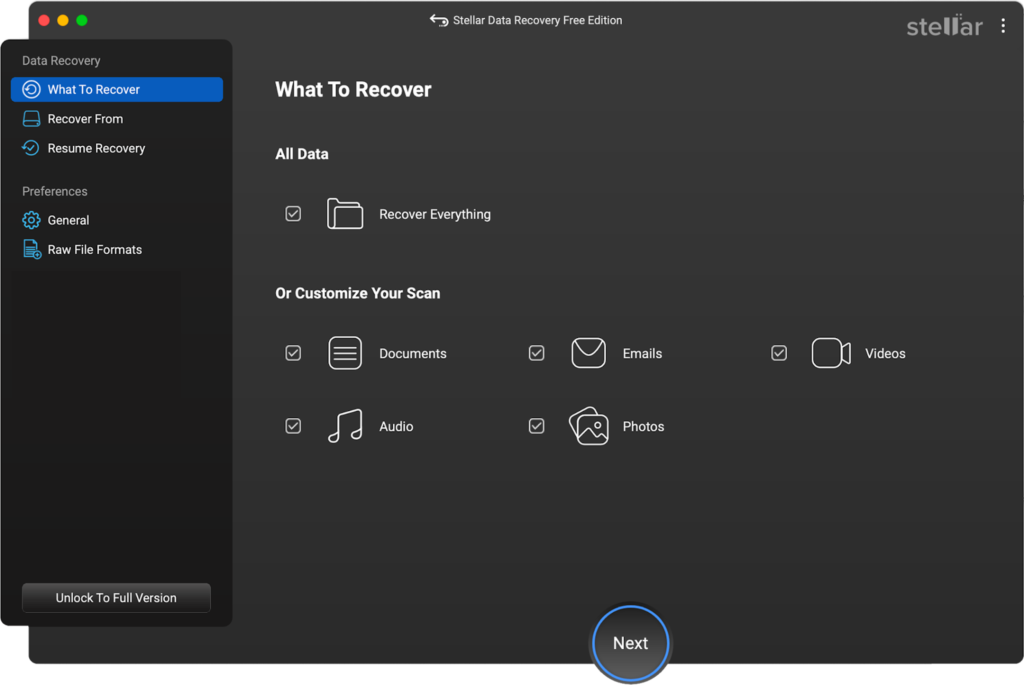
Step 1: Download and install the Stellar Data Recovery Free software on your Mac. Launch the software and from the homepage, select the type of file you want to recover and click Next.
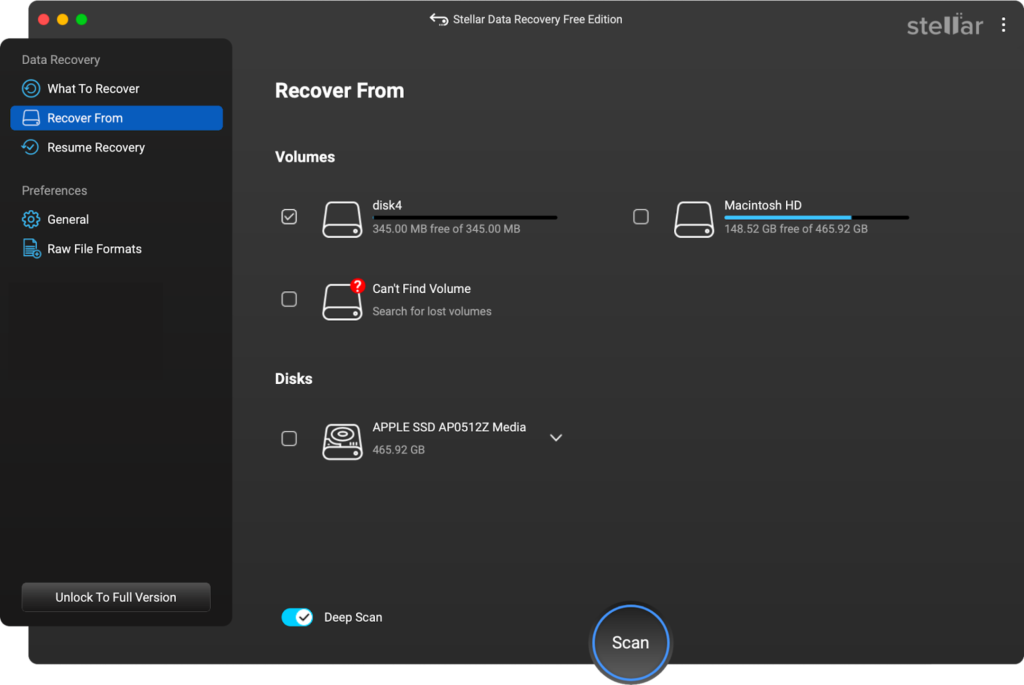
Step 2: Choose the storage drive where your deleted files were earlier stored and tap “Scan” to initiate the scanning process.
Step 3: Once the scan completes, preview the recoverable files and click Recover to save them at a secure location on your Mac.
02: Disk Drill (Free Version)
Next in our list is Disk Drill, which is a free Mac data recovery software that can help you recover files lost from any internal or external storage media. It offers a polished interface, powerful scanning algorithms, and support for a wide variety of storage devices.
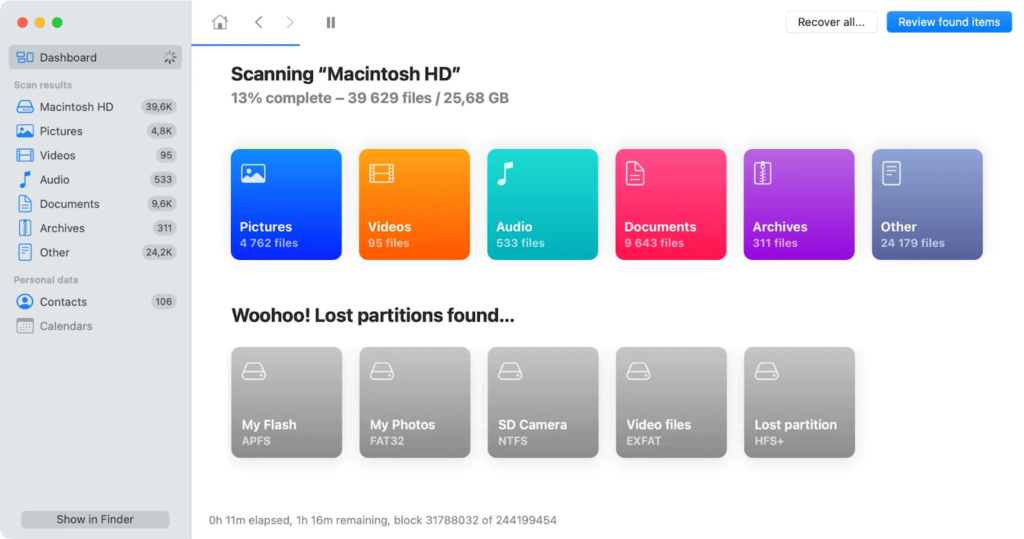
The software works best irrespective of the exact reason for your data loss. Whether your files are deleted due to accidental deletion, drive formatting, or any other reason, this recovery software can help you easily restore them
Key Features
- Offers both quick and deep scans to find recently deleted files as well as those lost due to complex reasons, including device formatting.
- Supports recovery of deleted files of various types, including photos, videos, documents, and many more.
- The Preview feature allows you to preview recoverable files before saving them.
- Works best with HDDs, SSDs, cameras, mobile devices and other internal/external storage devices.
03: EaseUS Data Recovery Wizard Free (Mac)

Another highly trusted free Mac data recovery software is EaseUS Data Recovery Wizard Free. It is widely used by both individuals and businesses and is mainly known for its intuitive interface that makes the recovery process simple. This free Mac data recovery software supports recovery of files lost due to accidental deletion, disk formatting, system crashes, virus attacks, and partition loss.
Key Features
- The tool performs both quick scans and deep scans to locate recoverable files efficiently.
- It allows you to preview recoverable files before restoring them, helping ensure the correct data is recovered.
- The free version allows limited data recovery, making it useful for small data loss situations.
04: PhotoRec
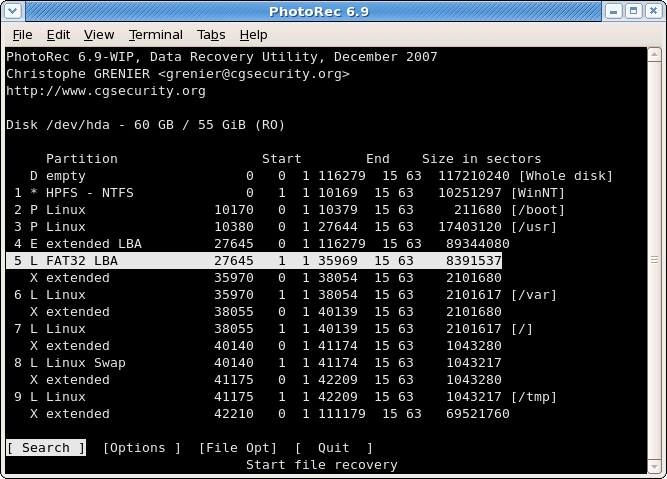
PhotoRec is a powerful, open-source and free Mac data recovery software designed to recover lost files from a wide range of storage devices. You can use this versatile recovery tool to restore deleted files of various types, including photos, videos, documents, archives, and many more. Unlike many commercial recovery tools, PhotoRec ignores the file system and scans the disk directly for known file signatures. You can use it to recover data even from severely damaged or reformatted drives.
Key Features:
- PhotoRec uses a text-based interface that may seem complex for beginners, but reliable and widely used by IT professionals and advanced users.
- Ignores damaged file systems and scans disks directly, helping recover files from formatted, corrupted, or severely damaged drives.
- Works with multiple operating system including macOS, Windows, and Linux, making it a flexible recovery tool.
05: 4DDiG Mac Data Recovery
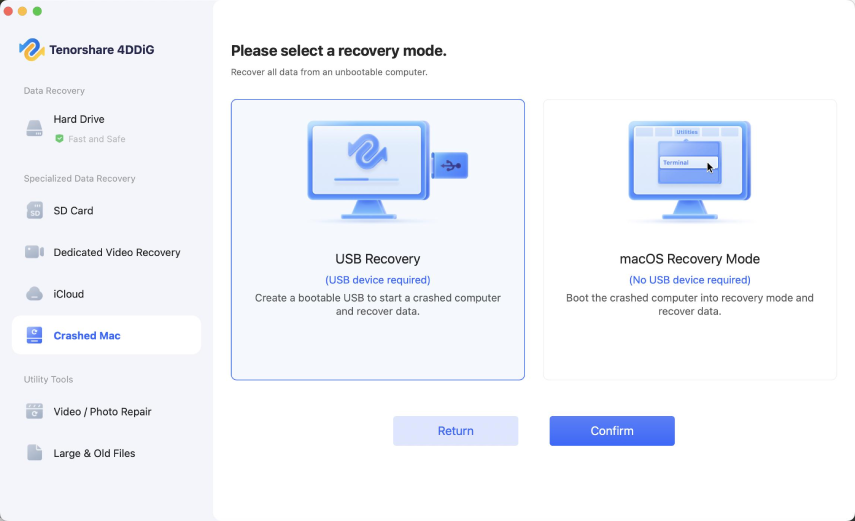
4DDiG Mac Data Recovery, by Tenorshare, is a powerful data recovery tool developed to help Mac users retrieve lost or deleted files quickly. The software works with USB devices, SD cards, and other internal or external storage media. It can handle various data loss situations such as accidental deletion, formatting, system crashes, virus attacks, and corrupted partitions. It supports recovery of deleted files in three simple steps – select a location, scan the device, preview the files and recover them.
Key Features:
- Supports recovery of deleted files of various types, including photos, videos, documents, archives, emails, and many more.
- Its advanced scanning algorithm with quick scan and deep scan helps you to easily locate hidden, deleted, or formatted data.
- Compatible with modern macOS systems and supports recovery from many external and internal storage devices.
06: TestDisk
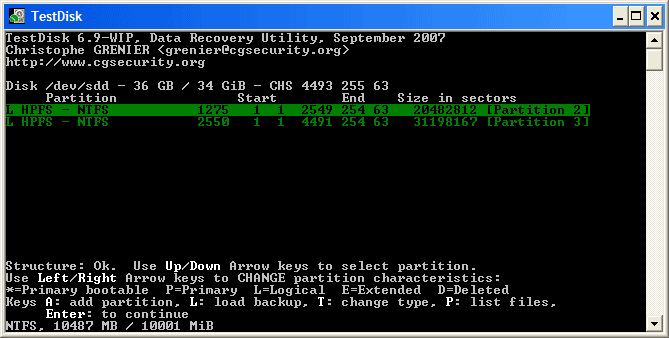
TestDisk is a powerful open-source data recovery tool primarily designed to recover lost partitions and repair damaged disk structures. Unlike typical free Mac data recovery software tools, TestDisk specialises in fixing partition tables, rebuilding boot sectors, and making non-booting disks usable again. The software works well with macOS, Windows, and Linux, which makes it highly versatile for cross-platform environments. Because it is completely free and open source, TestDisk remains one of the most reliable tools for serious disk repair and partition recovery tasks.
Key Features:
- Recovers lost or deleted partitions and repairs damaged partition tables on various storage devices effectively.
- It supports multiple file systems, including HFS+, APFS, FAT, exFAT, NTFS, and Linux ext formats.
- Includes powerful disk analysis tools that help diagnose structural issues and recover inaccessible drives successfully.
07: Exif Untrasher
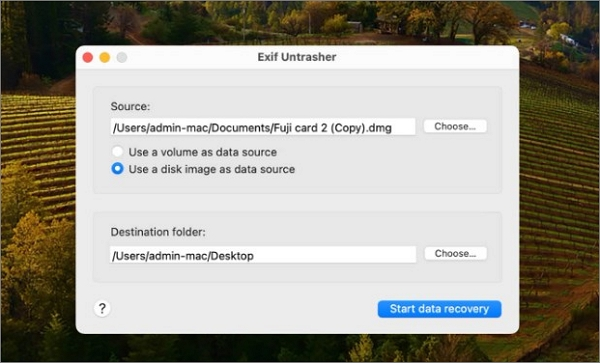
Exif Untrasher is a reliable and popular free Mac data recovery software designed to help users restore lost, deleted, or inaccessible files. You can use this recovery tool to restore files deleted from Mac computers and numerous internal or external storage devices. Its deep scanning technology performs a thorough scan of your storage device to locate files that other tools may miss.
Key Features:
- Recovers deleted files from Mac computers, external hard drives, SSDs, USB drives, and memory cards easily.
- Supports recovery of many file types such as documents, photos, videos, audio files, archives, emails, etc.
- Its simple and user-friendly interface makes the recovery process easy even for beginners.
08: Ontrack EasyRecovery Free
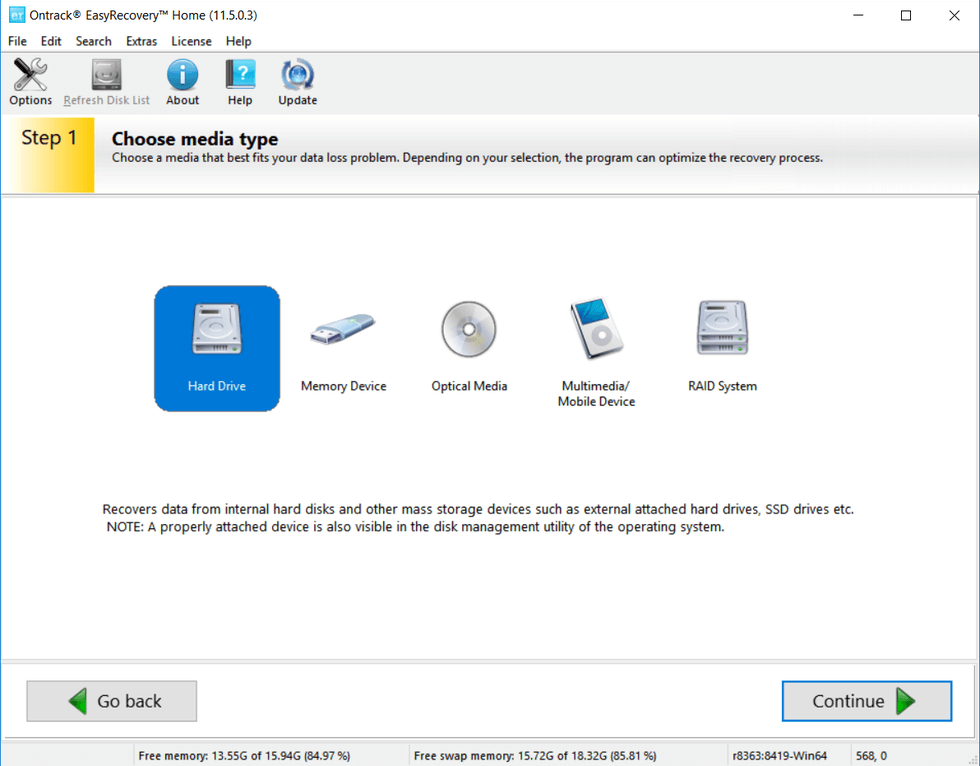
Ontrack EasyRecovery Free is a well-known data recovery tool, which is compatible with different internal or external storage devices. It can recover files lost due to accidental deletion, formatting, corruption, or virus attacks. The software is known for several amazing features, such as quick scanning of your storage devices, preview functionality, and compatibility with different OS.
Key Features:
- Free version allows recovery of up to one GB of data, helping users test the software before purchasing.
- Quick scan and deep scan modes help locate recently deleted files and deeply hidden data on damaged drives.
- Ability to pause, resume, and save scans allows flexible recovery sessions without restarting the entire scanning process.
09: Data Rescue for Mac

Data Rescue for Mac is a data recovery software, widely used for recovering data deleted due to accidental deletion, drive formatting, disk corruption, and many other reasons. Its user-friendly interface guides users through the recovery process step by step, making it the best approach even for beginners. Its advanced scanning technology can detect lost files even when the drive becomes unreadable or damaged.
Key Features:
- It supports recovery of deleted data of various types, including photos, videos, documents, and many more.
- Advanced deep scanning technology locates recoverable files even from damaged, corrupted, or inaccessible storage devices effectively.
- Ability to clone failing or unstable drives to another disk for safer recovery and reduced risk.
10: Wise Data Recovery
Wise Data Recovery is a lightweight and easy-to-use data recovery tool which can help you recover your lost files quickly. This free Mac data recovery software is known for its simple interface, quick recovery process, and several amazing features. The program performs fast scans to locate recently deleted files and displays them in an organised list for easy recovery. It also allows you to filter results by file type or search for specific files, which saves time during the recovery process.
Key Features:
- Fast scanning technology quickly locates recently deleted files, allowing users to restore important data in minutes.
- Supports many file types, including documents, photos, videos, emails, archives, and other commonly used file formats.
- It is very easy to install and run this software without using excessive system resources or slowing down the computer.
Wrapping Up
Data recovery on Mac may be challenging, especially if you don’t have any backup. Thankfully, several free Mac data recovery software tools are available, which can help you recover your lost data on Mac without any additional cost. For most users, Stellar Data Recovery Free for Mac, Disk Drill, and EaseUS Data Recovery Wizard provide the easiest experience with reliable results. Meanwhile, PhotoRec and TestDisk remain the best truly free solutions for advanced users who are comfortable with technical interfaces.
No matter which tool you choose, remember that the best protection against data loss is regular backups. Using tools like Time Machine or cloud backups can prevent disasters before they happen.
Check Back: Techsslash!
Leave a Reply